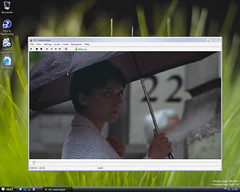
For those who are looking for Free FLV Player, i would recommend VLC player, the cross-platform media player and streaming server.
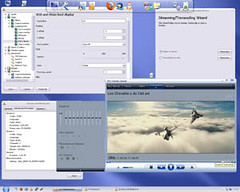
VLC media player is a highly portable multimedia player for various audio and video formats (MPEG-1, MPEG-2, MPEG-4, DivX, mp3, ogg, flv, mov, 3gp, ogm and etc …) as well as DVDs, VCDs, and various streaming protocols. It can also be used as a server to stream in unicast or multicast in IPv4 or IPv6 on a high-bandwidth network.
Advertisements
Download link: Click here to download
[tags]media player, vlc player, videolan, flv player, mp3 player, streaming server, video streaming server, video streaming, video player, dvd player, vlc, multimedia player[/tags]
Related posts:
Prestashop: How to disable ajax add to cart?
How to clear Thunderbird IMAP Cache
How to configure SSL in Outlook Express
How to encrypt my files in Mac OS X?
How to print screen in Nokia N900
Modify MP3 Encoding Rates in Window Media Player Rip CD Function
How to exclude/ignore a directory from SVN?
How to sync Google Calendar with Thunderbird
Share this with your friends:-

I mostly use FLV player.
good software .. not yet confirmed from other ips from internet. only confirmed by canyouseeme.org scan for opening port service. To stream is not easy, have to try and error for almost 1 day, till I know the problem that I have 3 blocking software on my xp os:
1. must set the port forwarding at my modem router.
2. disable the norton firewall in certain port which is used by the software to stream.
3. add my LAN firewall connection a port which can be accessed by other computer used by software on number 2 above.
hope it helps for those who have the same difficulties ^^.
I like vlc.
To use streaming in VLC
At teh server end, open VLC and choose the files you want to open. Tick stream/save. If you want it to play also at the server end tick play locally. For streaming you now click HTTP and type the IP used for the server on the local network followed by a port (ie 192.168.1.2:1234, 10.0.0.3:5000 for examples). For divx you can used MPEG TS i think but a quick google should tell you which encapsulation for which codecs. Then start playing; you might also find it useful to start the web interface to control the playback. (access thru serverip:8080)
At the client end open VLC and open network stream. Enter the IP and port used on the server and play. Enjoy 🙂
We’ve been using Windows Media Encoder, but would prefer VLC if we can figure out how to get the settings properly installed so that our stream can be “pulled” from our remote server. We do not want to output the stream to another computer, we want the streaming server (IP provider) to pull from our server.
Thanks
We like the playlist feature, but the “help” file is totally inadequate.