 Normally i use my PC to play .mkv file, but yesterday i downloaded a .mkv file to my Mac and need to test the file if it can be played. I notice there is no default player to play mkv file in Mac. So i search around for solution and found out VLC player able to play .mkv file in Mac and it’s free!
To play .mkv file in Mac, follow the steps below:
Advertisements
- Go to this website VideoLAN and download the VLC player for Mac
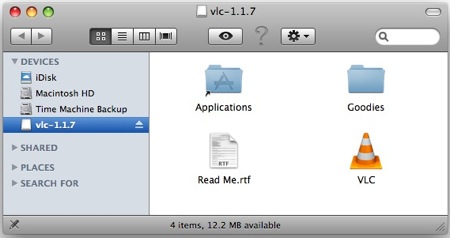
- Once downloaded, double click on the dmg file. Drag the VLC icon to your Application Folder
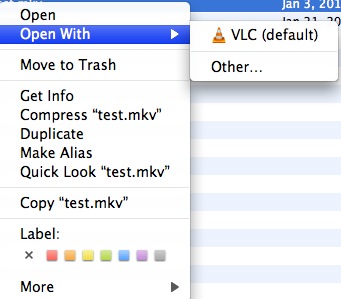
- Now right click on your .mkv file and select Open With -> VLC, and now you should be able to play the .mkv file with the VLC Player.
* BTW, i’ve written a post about How to play FLV file with VLC player years ago, do take a look if you are interested 🙂
Share this with your friends:-