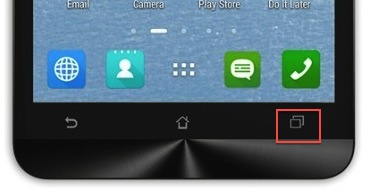
Just get myself a new Asus Zenfone 6. it’s an awesome phone. However, it seems having problem when i’m trying to print screen using Power + Volumne Down key. I’m not sure what happen to my phone but there is another more easy way to print screen in Asus Zenfone. Just tap and hold the “Recent apps key” will do, but before that you need to do some settings.
 Do you know if you do not like the Notification Center in your Mac, you can disable that permanently? Some user might find the notification center very useful for them but some find it not useful and some even feel that it’s annoying and waste of resources for them. No matter what is your reason, to disable the notification center in Mac OS X is just an easy peasy task.