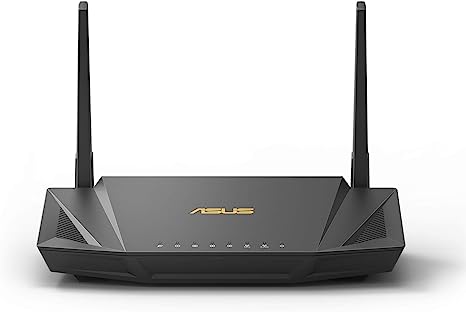
I got this ASUS RT-AX56U two years ago while my old TP-Link keep rebooting randomly. I got this router at a 30% discounted price during a online marketplace sale. I’m quite happy with the price i get. Three days after that i got the parcel and start to setup the new router. The setup process for this new ASUS RT-AX56U is simple and everything was done within 15min.
Daily Usage
In term of usage, we work from home since covid. So here are the things that we do daily: web browsing, instant messaging, teleconferencing, mobile gaming, video streaming, VPN, SSH and FTP. Total device ranging from 8 to 15.
Browsing
i got a very smooth browsing experience. The respond time (If you notice, every time you click on a new link, there is a “Waiting for www.asus.com ….” ) is way shorter than my previous old router.
AiProtection
Few days later, my wife receive a share link from one of her friend. When my wife click on the link, it shows the site is being blocked due to malicious site detected. This is a great feature for non-tech savvy user.
WiFi Coverage
This router come with 2.4 GHz and 5 GHz. Because my head is quite sensitive towards 5 GHz raiod, i disable the 5GHz since day one. I only turn on 2.4 GHz WiFi at home and the coverage is superb! It manage to fully covered a 1,200 sqft apartment. So far, i didn’t find any blind spot in my house although i just put my router on the floor. (I know i might get a better performance if i put my router on a higher position)
AiMesh
Although this router come with AiMesh, my house is not big enough to play with the AiMesh. Let me check with my neighbours if anyone want to test AiMesh together in the future.
I’m very satisfied with the overall performance, and the router is still in good condition. I would say it can still last for another 5 years and it still can fulfil my networking needs.
The post ASUS RT-AX56U Review – Is this still good to be used in 2023? first appeared on Techie Corner.]]>
 If you are using ContactForm7 for your wordpress website, you might encounter a problem where user like to double click on the “Submit” button whenever they try to submit a form. If you are using the form to run a registration campaign, then this probably end up with many duplicate emails in your inbox. Fortunately, ContactForm7 did provide some programming hook for us to extends it’s capabilities.

 Many people ask me about how to send email notification to admin when new order is placed. By default, woocommerce only send out email when order payment is completed. But… thanks to Woocommerce team, they provide a lot of hooks to ease developer’s work. So we utilize the hook to do what we want.
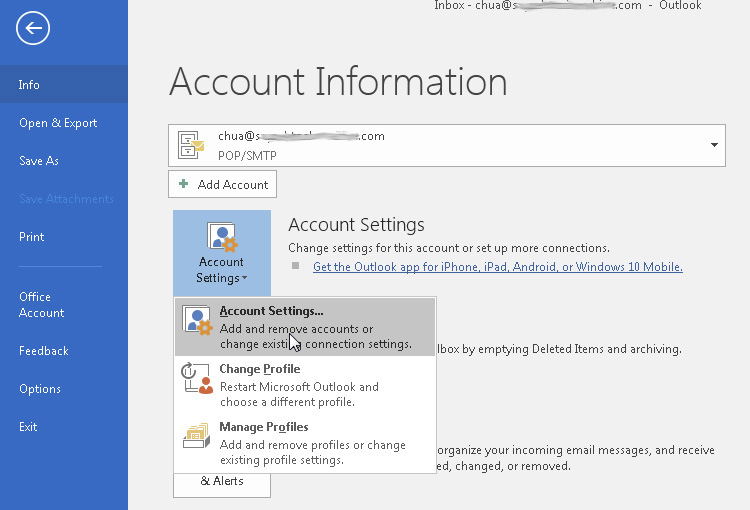
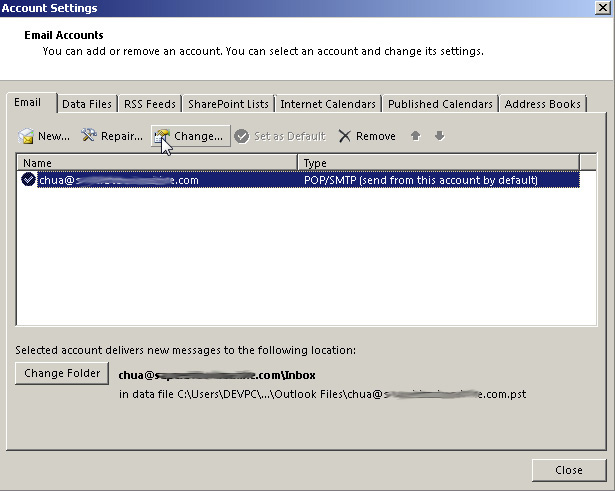
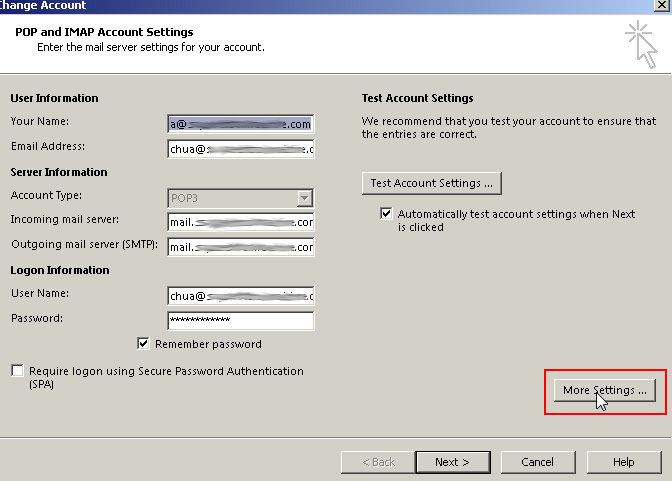
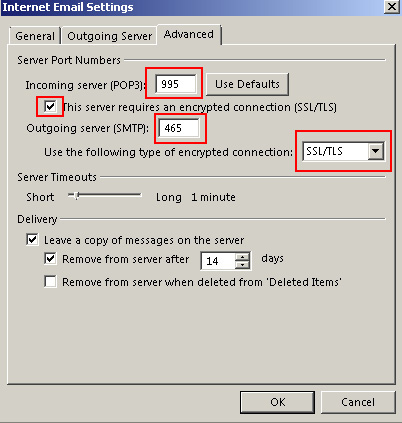
 If you are using CPanel email and would like to setup your mail client (eg: Thunderbird / Outlook / IPhone / Android), you came to the right place. By default CPanel already have a standard set of email settings for all it’s email account. You just have to follow it’s settings and you should be able to configure your email client properly.
 t pay
t pay