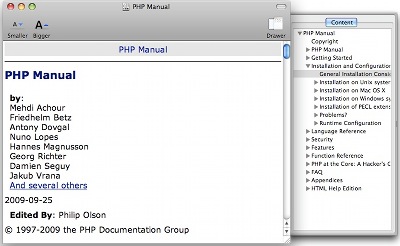
Just got a .chm file but cant open in Mac. Luckily, i found a program to open .chm file in Mac OS X. By default Mac doesnt come with program to open .chm file. So you need to install third party program to open .chm file in Mac OS X. So lucky that there is a open source program that you can use for free to open .chm file in Mac OS X.
To open .chm file in Mac OS X, follow the steps below:-
Advertisements
- Go to Chmox, and download the latest copy of the program
- Double click the file and agree on the Terms and condition. Then drag the program to your “Application†folderâ€
- Now, you may just double click the .chm file and it will open by Chmox.
Related posts:
How to remove email from suggestion list in Apple Mail
How to speed up Firefox - Vacuum
How to hide apache2 version number in error page
How to open .rar file in Mac OS X
How to batch resize image in Mac OS X
How to create Table of Contents in LibreOffice
How to check if directory exists in Bash script
How to re-arrange account order in Thunderbird
Share this with your friends:-
