 Blogger allow you to publish your blogger content to your own domain hosting without any programming knowledge. Blogger allow user to use their platform to manage their post and publish the content to user domain thru FTP. Alternately, blogspot also able to support custom domain but you must own a domain first.
To publish blogger content to your own domain and hosting, follow the steps below:-
Advertisements
- Login to your blogger account, once you are in the Blogger Dashboard, click on Settings below your Blog name.

- Once you in Settings tab, click on Publishing at sub menu tab

- By default, you will see “You’re publishing on blogspot.com “. So now you click on “FTP (publishing on your ISP server)”
- Now key in your FTP Server, Blog URL, FTP Path, FTP User name, FTP password and Word Verification and click Save Settings.
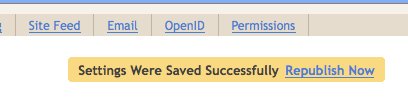
- Once Settings is saved, click on “Republish Now”.
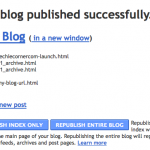
- Once it shows Done, now point your browser to your domain and you will see your blogger content being published at your domain. Bingo!
Related posts:
Javascript: Prevent page from frameset hijack
Track Your Website Visitor With Free Invisible Website Tracker - StatCounter
Create Gmail with plus addressing to prevent spam
15GB of Online Cloud Storage for FREE!
Limit certain ip to access website with .htaccess
How to setup gmail to receive other POP3 email?
Prestashop: How to disable ajax add to cart?
Symfony: PHP Fatal error: Call to a member function setData()
Share this with your friends:-

Go to blogger.com and login using your blogspot details.
Once login click on Settings below your blog,
then click on Publishing tab and u’ll see “Switch to: blogspot.com” click on this
and save settings. it will enable u to switch back to blogspot.
how in the world do you UNpublish to your domain. I don’t want to have my blog published to my site anymore and trying to type blogspot.com in the space where my domain name was doesn’t restore it back to its default. Is there anyway to set it back to its original settings?
While this works, it’s a pretty troublesome procedure as you have to keep republishing everytime you create a new post. If you took the time to create your own domain, it’ll be much better to put a little extra effort into installing something like WordPress on your domain.